
September 1, 2023

July 29, 2026
Editorial Disclaimer
This content is published for general information and editorial purposes only. It does not constitute financial, investment, or legal advice, nor should it be relied upon as such. Any mention of companies, platforms, or services does not imply endorsement or recommendation. We are not affiliated with, nor do we accept responsibility for, any third-party entities referenced. Financial markets and company circumstances can change rapidly. Readers should perform their own independent research and seek professional advice before making any financial or investment decisions.
Lunch rush. Cars coil around the building, headsets crackle, and every tap on your screen either shaves seconds off the queue or stacks frustration outside.
According to a Berry AI analysis, drive-thrus generate about 70 percent of fast-food revenue, so the point-of-sale terminal in front of you matters more than the fryer behind you.
We ranked eight POS platforms that can keep pace in 2026, exposing real fees, contract traps, and operator war stories.
Ready to reclaim those lost seconds? Let's dig in.

Fast food runs on a tighter clock than any other segment. Guests expect you to take the order, fire the tickets, and hand over hot food in under four minutes, a pace that table-service software cannot match.
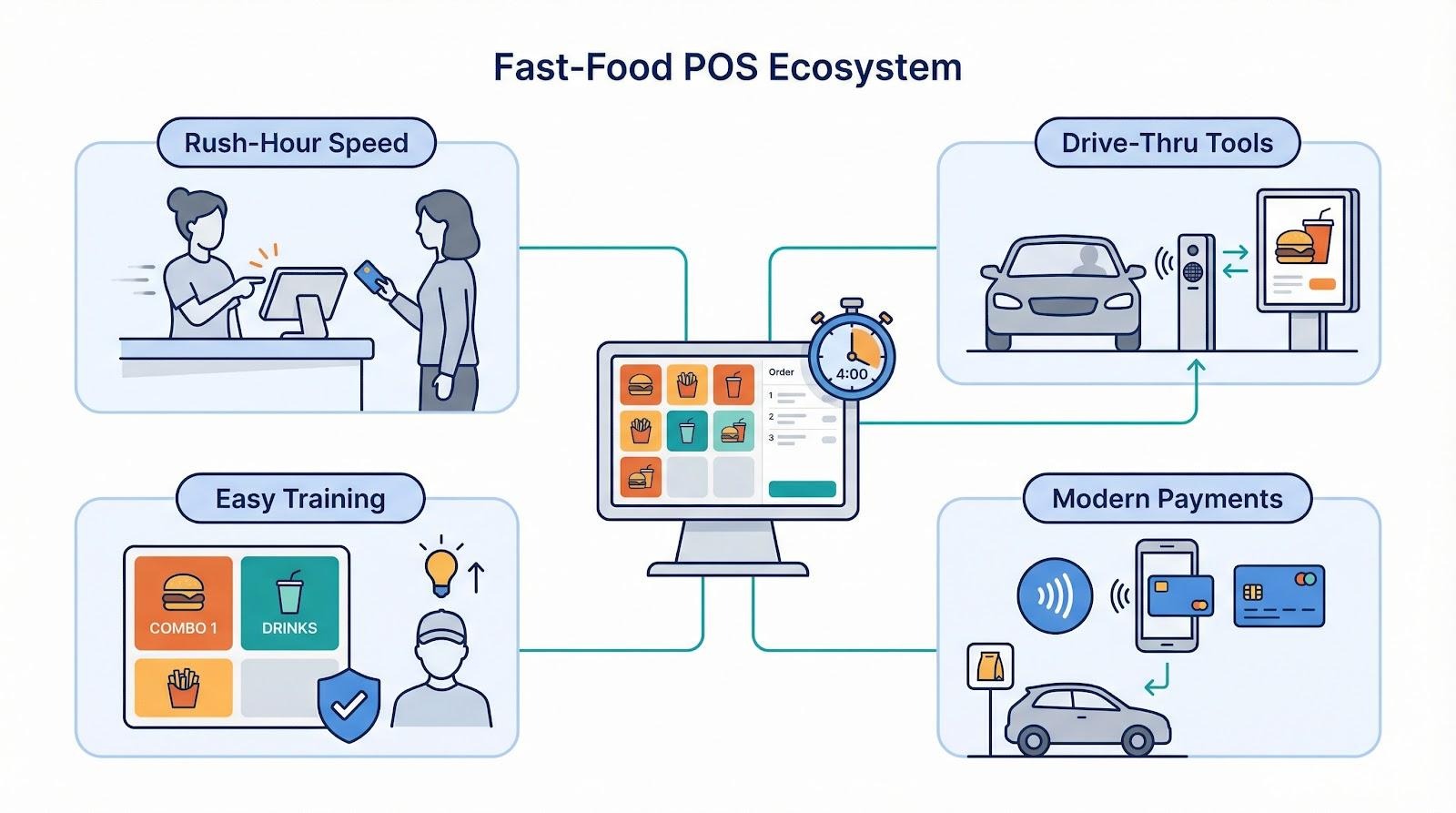
Turnover adds pressure. When half of your cashiers are brand-new every ninety days, you need an interface they can master in minutes, not hours. A purpose-built quick-service POS uses color-coded buttons and guardrails that prevent order errors, so new staff hit the ground running.
Payments must keep pace too. Tap to Pay, Apple Pay, and in-app wallets are baseline expectations now. If you are rolling out modern payment systems for QSR, your hardware and software have to speak the same language from counter to curbside. Monstarlab's primer on modern payment systems for QSR breaks down what that ecosystem looks like in practice.
Our scoring model mirrors that reality. We weighted rush-hour speed, ease of onboarding, true monthly cost (once processing fees surface), and drive-thru tools that shave seconds off every car. We also graded each POS on integrations, hardware durability, loyalty features, contract terms, and the quality of "I-need-help-right-now" support.
Up next, you will see how eight vendors measure against that yardstick. No fluff, no participation trophies, just a clear view of who keeps your line moving and who slows it down.
Research began with every name that appears when you search "restaurant POS." The list topped forty vendors, so we sharpened the knife.
First, we cut any system that runs in fewer than five hundred U.S. quick-service locations or lacks a dedicated payment stack. Hobby projects and regional one-offs exited here.
Next, we scored the survivors against ten factors that matter in a drive-thru. Speed, ease of training, and total monthly cost carried the most weight. Drive-thru functions, integration breadth, hardware durability, loyalty tools, contract terms, responsive support, and multi-store controls rounded out the list.
Each factor earned up to ten points, multiplied by its weight, and the math set the ranking. When scores tied, we used real operator feedback, the quotes you will see throughout, as the tiebreaker.
Our framework nods to Forbes Advisor, which flags "best for" use cases and publishes star ratings for each pick. We go further by revealing the levers behind our numbers, so you can rerun the math with your own priorities.
Every POS that follows survived the cut, cleared a data-driven hurdle, and earned its spot through evidence, not hype. Let's meet the lineup.
Toast tops the list because it thinks in seconds, not minutes. The tap-and-go layout lets cashiers fly through combos without digging through nested menus. Operators say new hires ring their first sale within twenty minutes of clock-in, a lifesaver when turnover runs high.
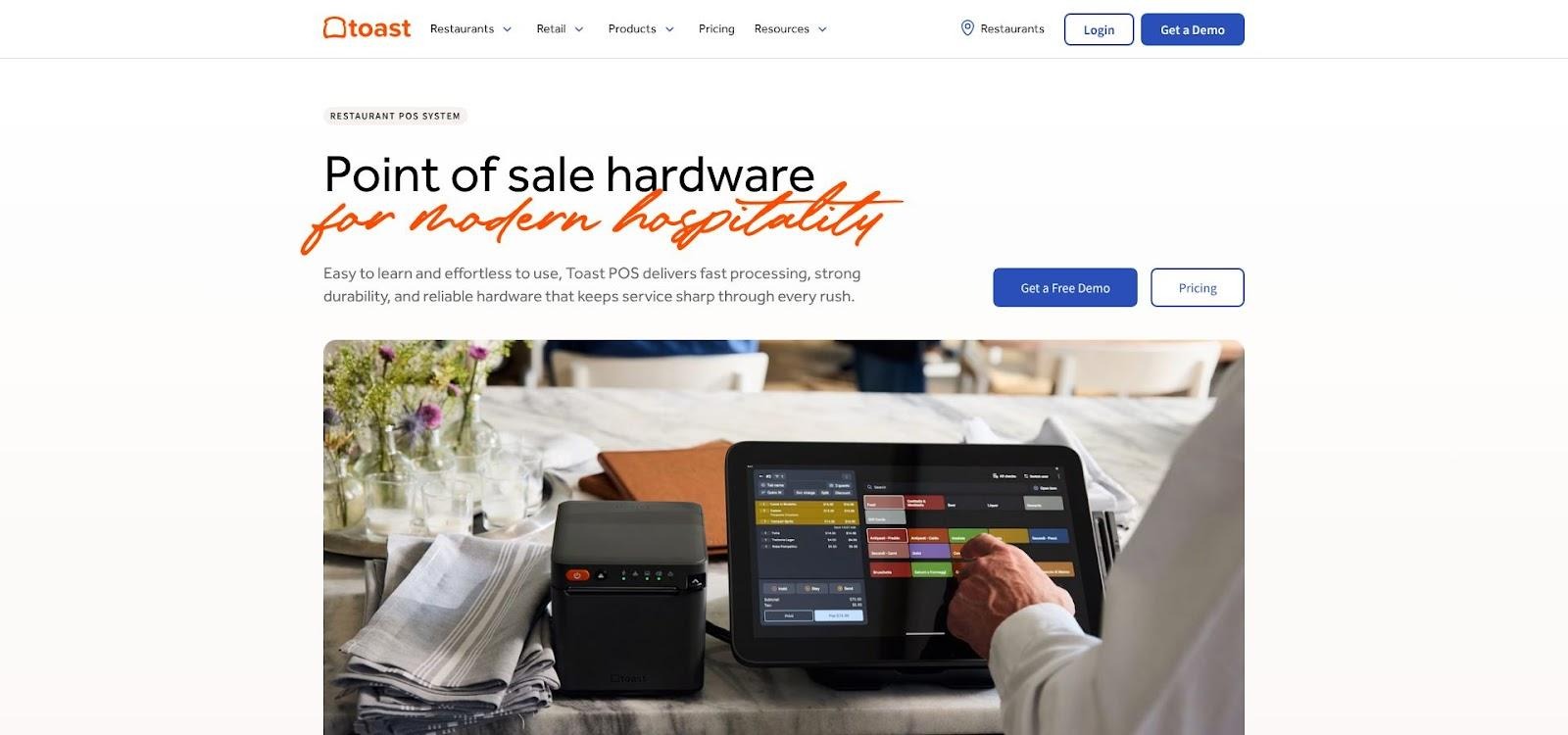
Reliability matches that speed. Toast's purpose-built Android hardware shrugs off grease, heat, and the odd soda splash. If the internet drops, orders keep firing; the offline mode stores card data until the network returns. No frantic "cash only" signs at noon.
Pricing is straightforward. Pick one of two paths:
Either way, Toast handles the processing, but you know the numbers before the rep shows up. Forbes rates Toast 4.2 stars and calls it the most feature-complete restaurant POS available.
Square earns the "start today" medal. Download the free plan, pair an iPad with a 59-dollar reader, and you are live before the lunch bell rings. Card processing is a flat 2.6 percent plus 10¢ per swipe, so you always know the exact cost of each order.
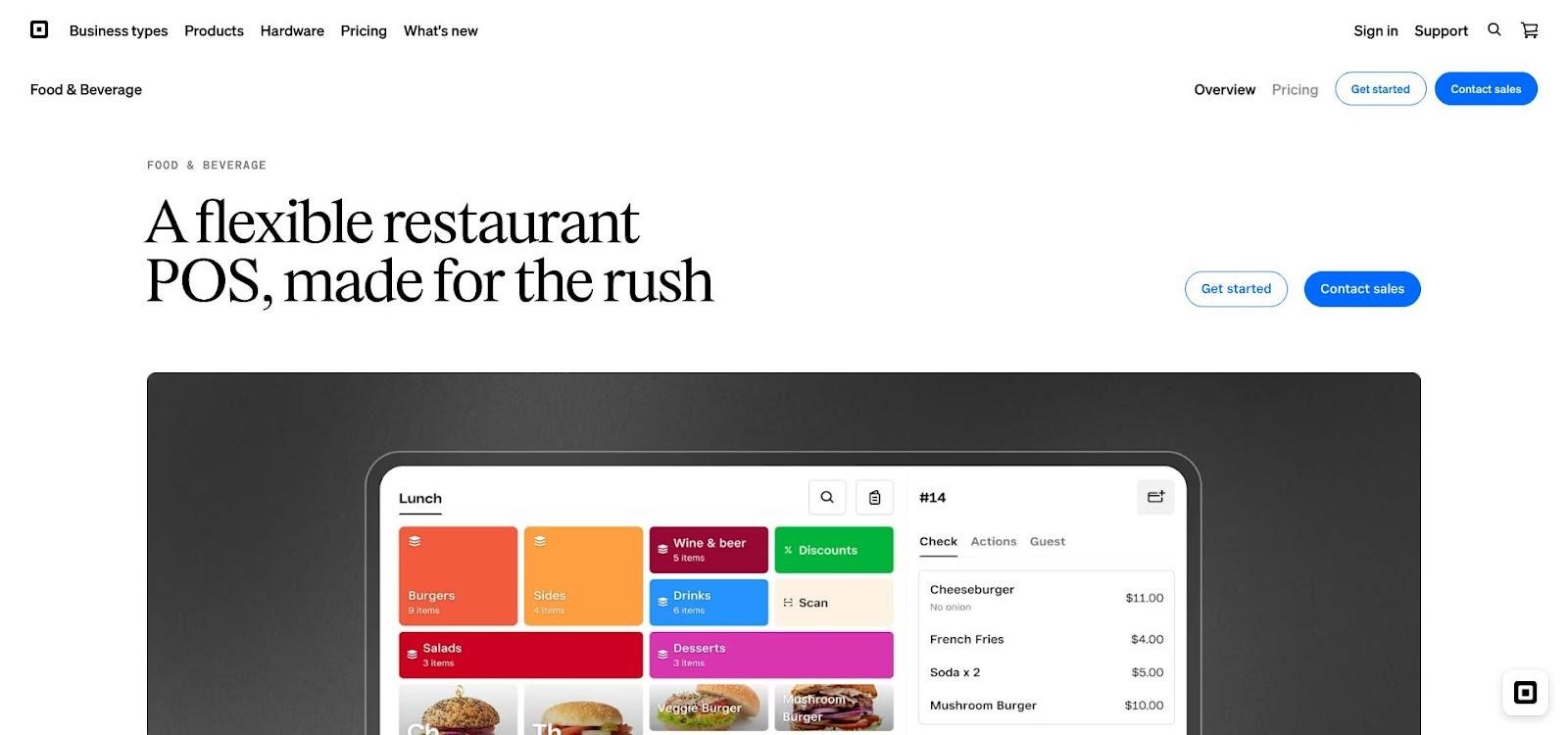
Speed comes built in. The touchscreen feels more like a mobile app than a register, which is why one food-truck owner told us, "Square has worked perfectly for me for years with no issues." That ease of use trims training to a single coffee break.
Square keeps improving. The 2026 release added a bulk-edit menu tool and real-time stock overview, letting managers change dozens of items in one move instead of tapping through pages. Those time savers matter when breakfast flips to lunch and half the menu needs new prices.
Where Square falls short is depth. It offers no native drive-thru timer, and phone support ends at 6 p.m. once your ninety-day free window closes. Growing to multiple sites means juggling separate dashboards unless you upgrade to the Plus plan at 60 dollars a month.
Square is the fastest, cheapest way to leave paper tickets behind. If you are opening your first counter or food truck and every dollar counts, start here and grow until you outpace its limits.
SpotOn sells more than a POS. It bundles order taking, loyalty, email campaigns, and review management into one dashboard, so you skip the app hunt and keep every guest touchpoint under the same roof.
That integration drives repeat visits. Set a "buy nine, get the tenth free" promo once, and the system tracks stamps across counter, kiosk, and online orders automatically. No extra plugins. No CSV exports.
Hardware looks sharp. A fifteen-inch register anchors the counter, while the Serve handheld lets runners clear drive-thru or patio queues. Everything updates in real time, so modifiers entered at the speaker hit the kitchen screen before the guest reaches the pay window.
Pricing is negotiable, which can be both perk and pitfall. Sales reps often sweeten deals with free hardware, but read the fine print. One café owner faced a 5,000-dollar hardware clawback for canceling in the first year, effectively locking them in for twelve months.
Support is a bright spot. Operators rave about dedicated reps who share direct numbers and respond within minutes. A few users note stability issues, like open tabs vanishing during bar rush, so push the system hard during your trial.
Choose SpotOn if you want marketing muscle without third-party juggling and you can live with a contract that rewards loyalty as much as your customers do.
Revel launched on the iPad in 2010 and has spent the years since hardening for serious traffic. Think drive-thru coffee brands running two registers and four kitchen screens all morning—Revel keeps pace without lag.
Central oversight is the ace. Multi-unit owners push menu changes, promos, and price tweaks to every store from one cloud dashboard. Franchisees gain local flexibility while corporate keeps brand consistency.
Drive-thru tools go deeper than a simple order queue. Revel tracks car times from speaker to pick-up, flashes alerts when tickets stall, and pipes orders straight to production screens so the kitchen stays ahead of the window. Pair that with enterprise-grade reporting and you will know exactly where bottlenecks hide.
The trade-off is commitment. Plans start around 99 dollars per terminal and usually involve a three-year contract. You will also need Revel-approved iPads, stands, and network gear, so upfront spend rises quickly.
Revel pays off when volume is high enough to justify the investment. If your concept already clears five-figure daily sales or you are franchising at scale, this platform delivers the horsepower and oversight smaller systems lack.
Lightspeed thrives when pennies matter. Its inventory module tracks every slice of cheese, bun, and sauce packet, then pairs that data with sales to surface exact food cost and waste in real time. Operators trimming margins from nine percent to six percent praise the clarity.
The cloud dashboard turns those numbers into clean visual reports you can scan on a phone between rushes. Want to know which combo leaks profit because staff keeps adding bacon? Two taps reveal the culprit.
Hardware stays flexible. Lightspeed runs on off-the-shelf iPads or its own terminals, so you can start lean and upgrade later. For multi-store groups, central menu control and advanced permissions keep local managers empowered without risking rogue edits.
Pricing sits mid-pack. Plans start around 69 dollars a month, with card processing at roughly 2.6 percent plus 10¢ when you use Lightspeed Payments. Add-ons such as loyalty and accounting integrations stack nicely, though the total bill rises if you enable everything.
Choose Lightspeed when food-cost control and analytics outrank drive-thru timers. It is the accountant's favourite POS in this roundup, turning raw data into choices that protect profit.
Clover often reaches fast-food counters through your merchant services rep. The hardware arrives pre-programmed, the fee schedule links to your business checking account, and you are ringing orders on a sleek Station Duo before the ink dries on the paperwork.
Owners like the polish. A customer-facing screen upsells meal deals during payment, and the Flex handheld doubles as a drive-thru payment terminal. Integrations come from Clover's app market, letting you add scheduling, delivery aggregation, or loyalty tools as needed.
Pricing varies with each reseller. Direct plans begin at 14 dollars 95 cents a month for Register Lite, but many banks roll hardware costs into multi-year processing contracts. Low upfront spend is fine if you like your rate and representative; tricky if you need to switch later.
Feature depth covers single-unit needs: modifiers, forced questions ("add cheese?"), and a reliable offline mode. Advanced drive-thru timing and multi-location reporting live elsewhere, and some users say the back-office menus feel clunky once you leave preset templates.
Pick Clover when you want modern hardware without juggling vendors and you trust your processor to treat you fairly for the long term.
When the order board crackles at a national burger chain, there is a good chance Simphony is routing the ticket. Oracle's legacy hardware is built to withstand spills, heat, and round-the-clock use without a reboot.
Simphony's drive-thru toolkit still outpaces most cloud newcomers. Dual-lane support, built-in car timers, and headset integration come standard, so managers monitor every second from microphone to handoff. One consultant calls it "the gold standard for drive-thru management." An on-premises server keeps registers alive if the internet fails, a lifesaver during storms or ISP outages. That redundancy keeps multi-thousand-unit brands loyal even as the interface shows its age.
Pricing is fully quoted. Expect software fees of fifty to seventy-five dollars per terminal each month plus proprietary terminals that cost more than 1,000 dollars apiece. Implementation often feels like an ERP rollout: Oracle partners handle setup, and change requests move through tickets rather than self-service toggles.
Choose Simphony if you run dozens of units, rely on drive-thru speed, and cannot afford downtime. Independent startups may find the price and complexity high, but mature franchises prioritize the uptime and industrial-grade controls over a modern user interface.
Lavu markets itself directly to quick-service operators, and the feature list backs it up. Dual-lane drive-thru support, combo buttons that auto-attach modifiers, and a kitchen display that highlights late tickets in red come standard without extra modules.
Setup stays light. Everything runs on iPads, so you can mount low-cost tablets at the counter and add a waterproof case at the window. That affordability makes Lavu popular in food halls, walk-up coffee bars, and single-lane burger stands that want QSR speed without enterprise overhead.
Inventory goes deep for this price point. Ingredient-level counts feed a waste tracker that pinpoints where fries, toppings, or smoothie mix disappear. Operators focused on food-cost control value the insight.
The learning curve is steeper than with Square or Clover because the menu builder exposes every tweak from tax groups to kitchen routing. Plan an afternoon of configuration or pay Lavu's team to preload the menu.
Pricing starts at 59 dollars a month per terminal, plus card rates through Lavu Pay or an outside processor of your choice, a rare flexibility in a field of bundled contracts.
Choose Lavu when you need true QSR functions, prefer iPad hardware, and have the patience—or budget—to fine-tune settings before opening day.
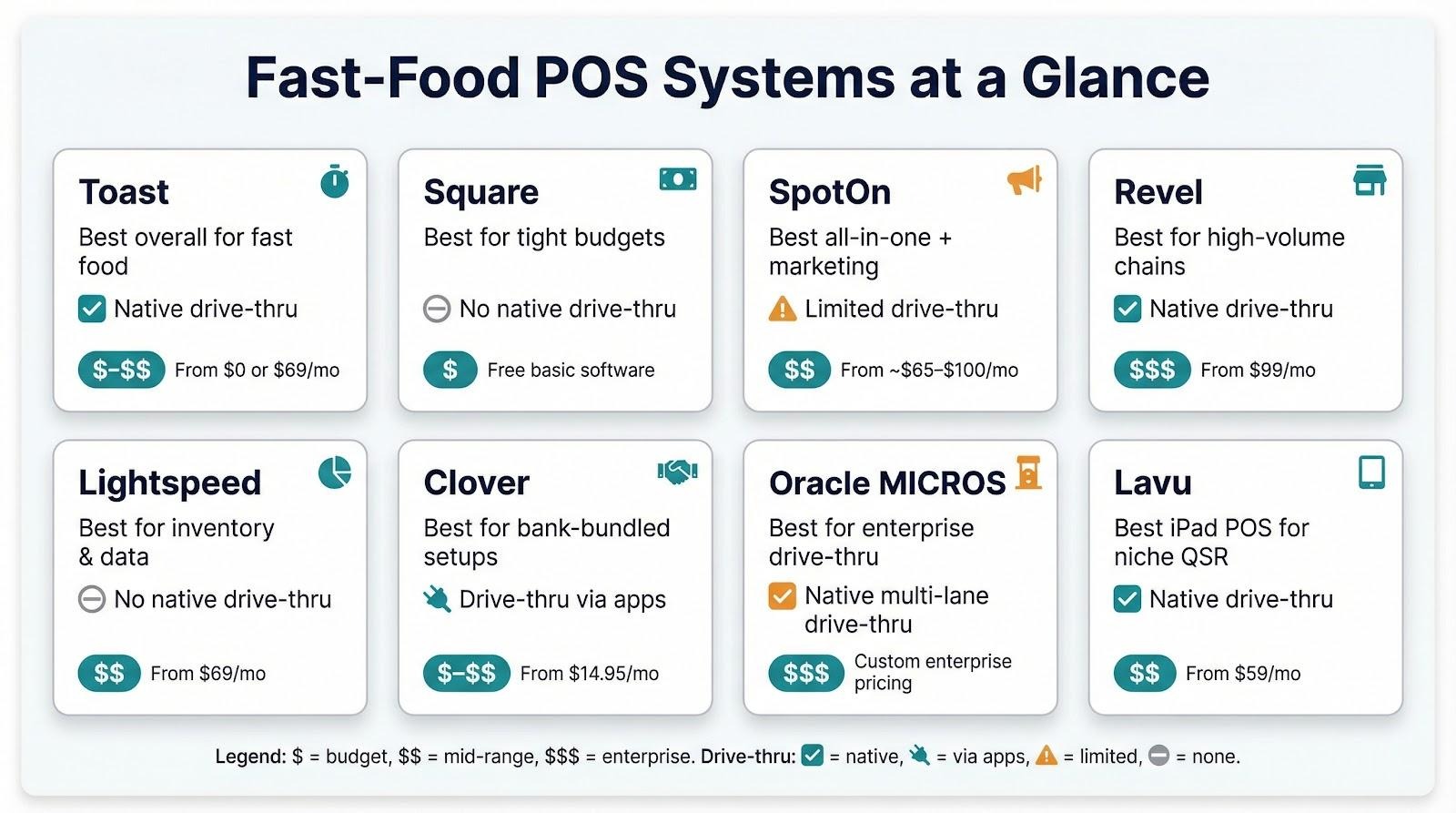
You have met the contenders one by one. Before we move on, let us stack them side by side so you can spot the big differences without scrolling back.
The table below highlights what owners ask first: starting software cost, average processing rate, drive-thru support, and the key reason to choose each system. Use it as a cheat sheet when vendors start pitching.
| POS | Starting software cost | Typical processing rate | Native drive-thru tools | Why pick it |
|---|---|---|---|---|
| Toast | $0 or $69/mo | 2.49 % + 15¢ | Yes | Fastest overall workflow, rugged hardware |
| Square | Free (Basic) | 2.6 % + 10¢ | No | Cheapest path off paper tickets |
| SpotOn | ~ $65–$100/mo | 1.99 % + 25¢* | Limited | Built-in loyalty and marketing engine |
| Revel | $99/mo | Varies, negotiable | Yes | Enterprise-grade reporting and timers |
| Lightspeed | $69/mo | 2.6 % + 10¢ | No | Ingredient-level inventory analytics |
| Clover | $14.95/mo | 2.3 % + 10¢† | via apps | Bank-bundled setup, stylish hardware |
| Oracle MICROS | Custom | Custom | Yes | Industrial uptime for multi-lane drive-thrus |
| Lavu | $59/mo | Depends on processor | Yes | QSR features on affordable iPads |
*Rates often drop with volume; confirm in the contract.
†Pricing varies widely by reseller.
Remember, processing fees usually dwarf software subscriptions once sales climb above fifty-thousand dollars a month. Run your own math with last month's statement before you sign.
Technology in quick service rarely stands still. The system you buy today has to flex for tomorrow's habits, or you will replace it sooner than a fryer.
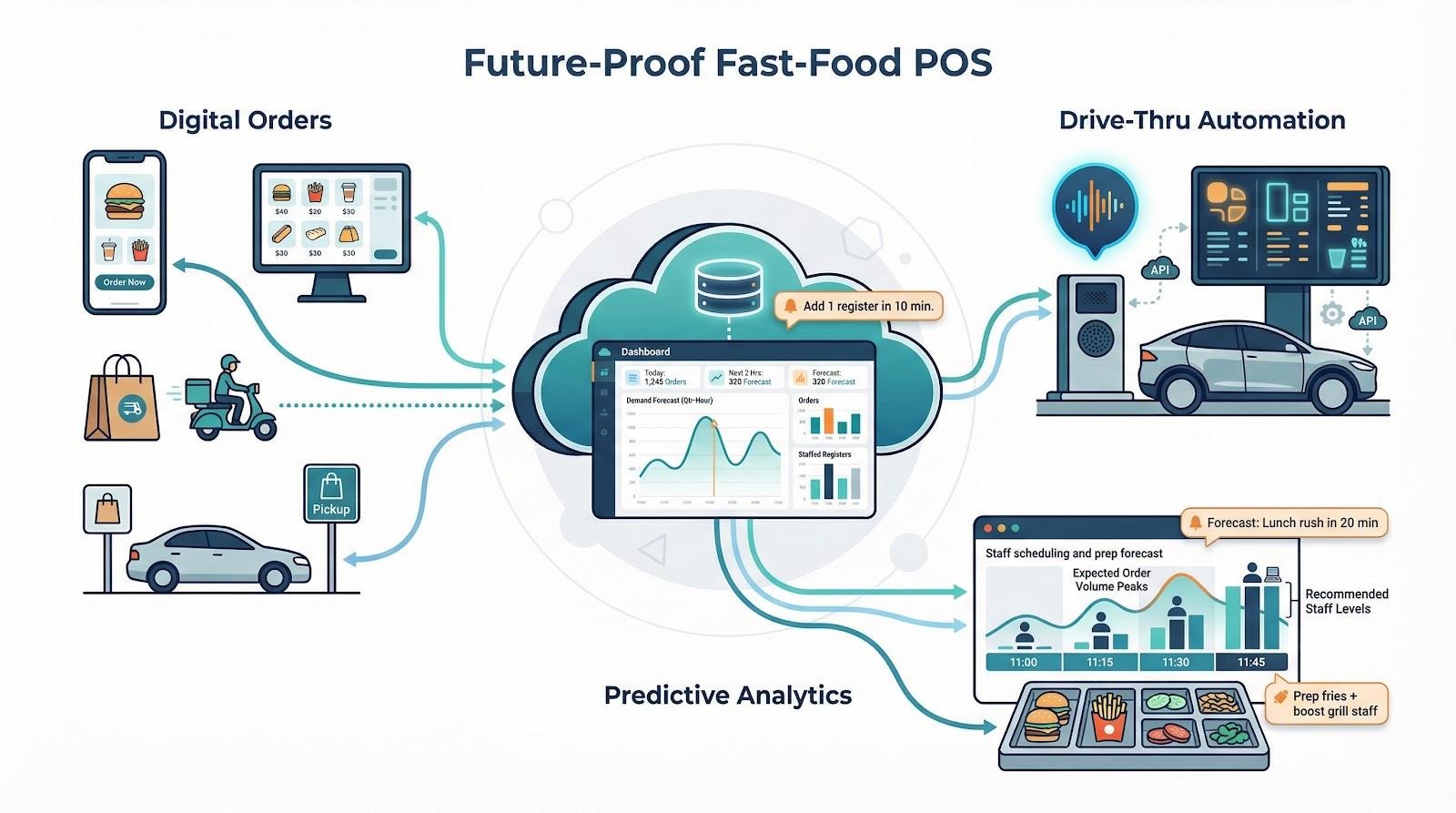
Digital orders keep climbing. Third-party delivery, curbside pickup, and mobile apps already account for more than one-third of QSR sales in many markets. Your POS must sync menus and tickets with DoorDash, Uber Eats, and whatever marketplace launches next. Look for direct integrations, not tablet-parsing bridges, so you avoid double entry and missed modifiers.
Drive-thru automation is the next speed lever. Large chains are piloting voice ordering that takes the first interaction away from staff. Vendors such as PAR and Oracle are wiring their APIs to accept these transactions. Even if you are not ready for voice, choose a platform with open APIs and a record of adding new hardware types quickly.
Data will guide staffing and prep. Modern systems analyse historical sales, local events, and weather to forecast demand by the quarter-hour. Toast and Lightspeed are testing tools that alert managers to add a register minutes before the line forms. When margins hinge on labour pennies, predictive insights become as valuable as the POS itself. Ask vendors how often they release analytics upgrades and whether those features cost extra.
Bottom line: buy for the roadmap, not only today's feature list. Vendors that ship major updates each quarter will keep your lines, and profits, moving fastest in the years ahead.
A great fast-food POS prioritises speed, ease of use for quick training, and reliability. It should have a simple interface with features like colour-coded buttons, robust offline capabilities to keep you running if the internet drops, and specific tools for drive-thru management.
It depends on the provider. Many modern systems like Toast and Square require you to use their integrated payment processing. This simplifies setup but can limit your ability to shop for lower rates. Others, like Lavu, offer more flexibility to choose your own processor.
Speed and accuracy are everything. Look for POS systems with built-in drive-thru timers that track cars from the speaker to the window, headset integrations, and kitchen display systems that clearly show orders. These tools help you identify bottlenecks and serve customers faster.
Costs vary widely. You can start for free with Square's basic plan (plus processing fees), pay around $69 per month for systems like Toast or Lightspeed, or invest in enterprise-level solutions like Oracle MICROS that have custom pricing. Always factor in hardware costs and payment processing rates for a complete picture.
Yes, many modern and powerful POS systems like Revel and Lavu run on iPads. They offer the speed and features needed for quick service, often at a lower hardware cost than proprietary terminals. Just ensure you pair them with durable, restaurant-grade stands and cases to withstand the environment.
