
December 17, 2024

December 9, 2025

Editorial Disclaimer
This content is published for general information and editorial purposes only. It does not constitute financial, investment, or legal advice, nor should it be relied upon as such. Any mention of companies, platforms, or services does not imply endorsement or recommendation. We are not affiliated with, nor do we accept responsibility for, any third-party entities referenced. Financial markets and company circumstances can change rapidly. Readers should perform their own independent research and seek professional advice before making any financial or investment decisions.
You already know why a VPN matters, privacy, security, and a dash of streaming freedom. But when a torrent stalls or your self-hosted dashboard times out, nothing on the internet can start the conversation with you. Port forwarding solves that by opening one clearly labeled doorway for incoming connections, yet most big-name VPNs keep it bolted shut (NordVPN’s own docs confirm it).
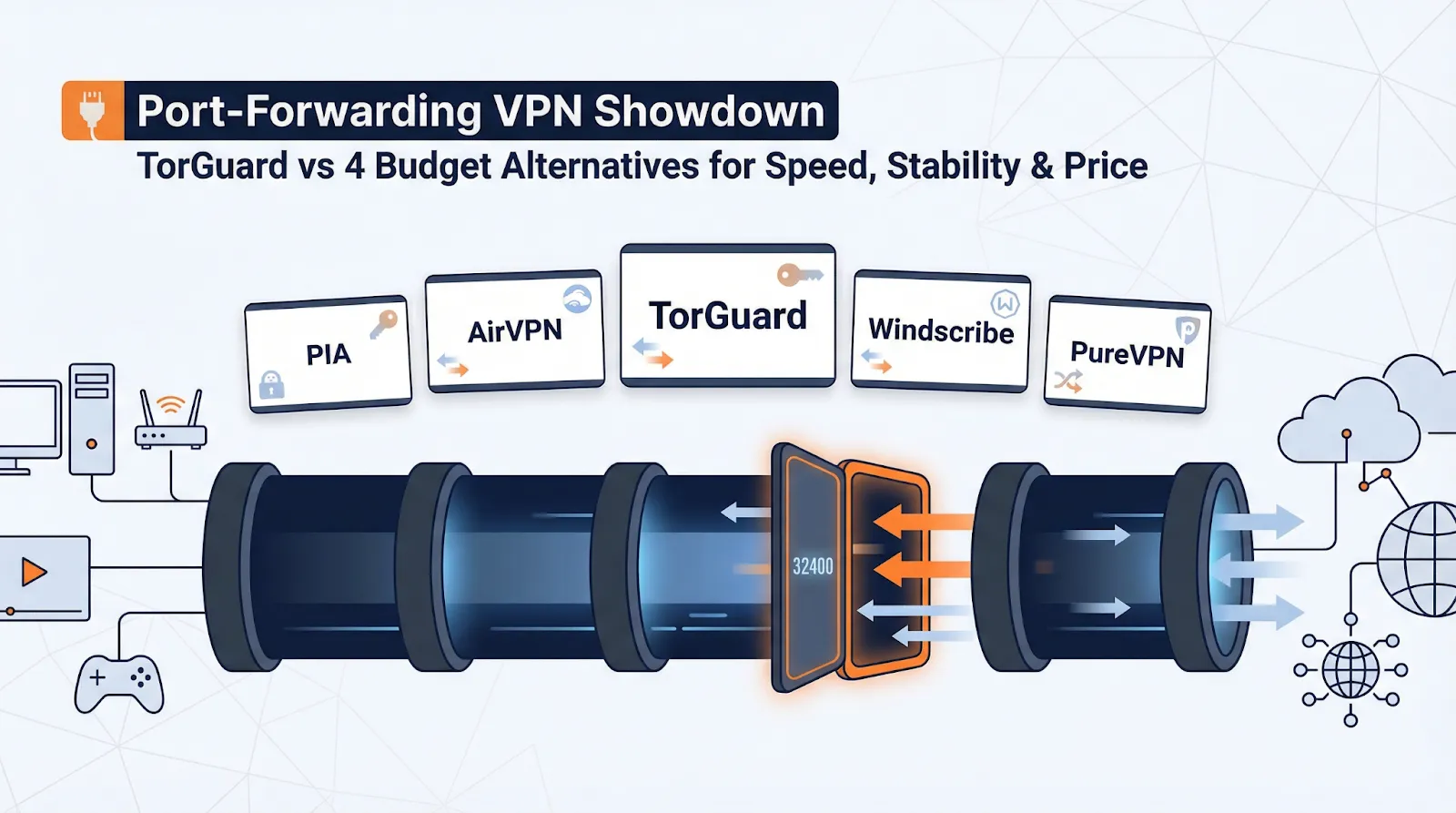
So we pitted TorGuard against four budget-friendly rivals to uncover the best VPNs with port forwarding for raw speed, rock-solid stability, and wallet-safe pricing. Let’s dig in.

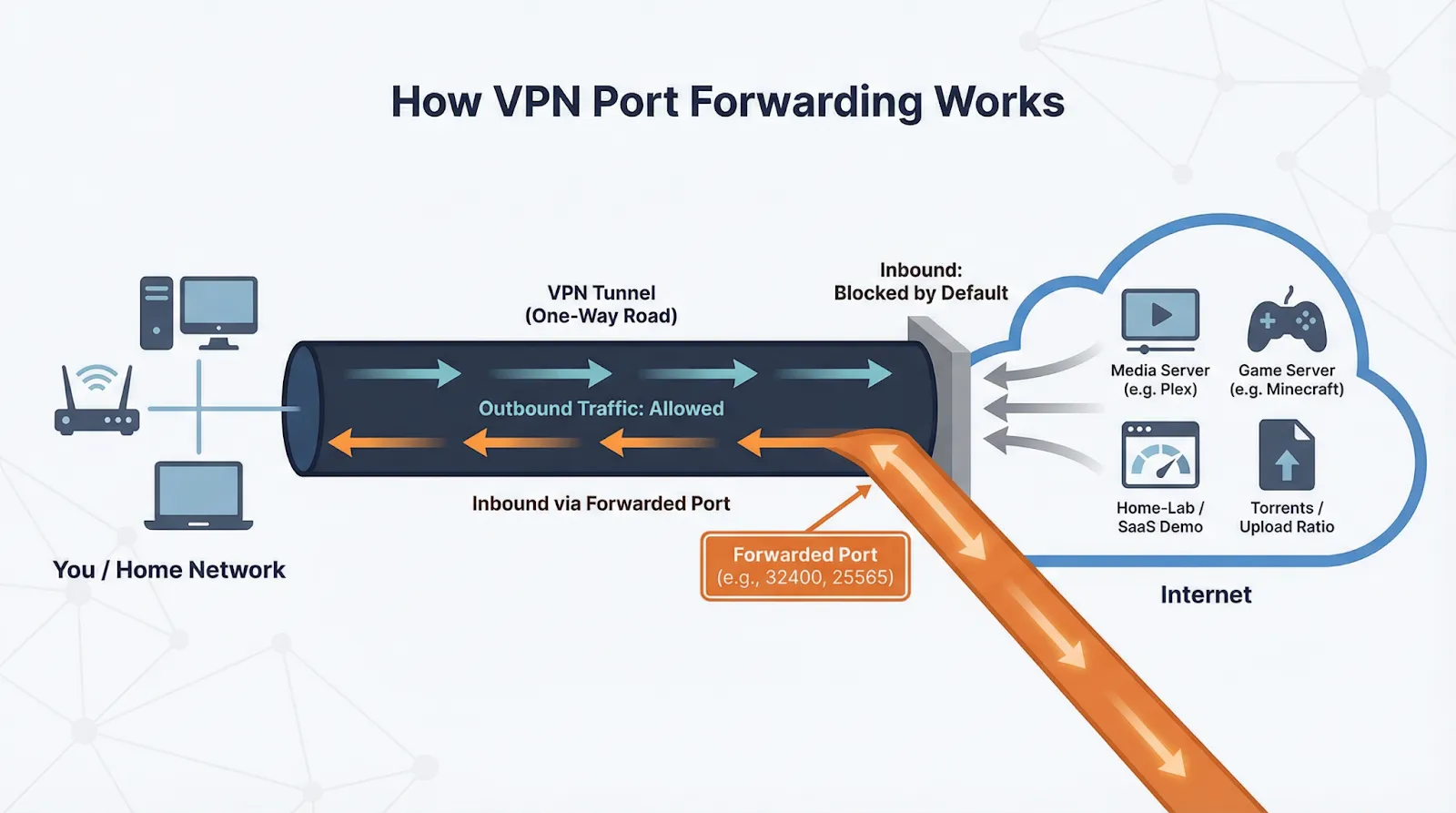
Port forwarding lets devices on the public internet start a connection to you through the VPN tunnel, something the tunnel normally blocks by default.
Picture the VPN as a one-way road: your packets drive out, but nothing can drive in until you open a clearly marked on-ramp, one TCP or UDP port such as 32400 for Plex or 25565 for Minecraft.
Providers handle that on-ramp differently. Proton VPN assigns a random port each session and limits the feature to P2P-tagged servers. AirVPN lets you reserve up to five ports that stay yours for the life of the subscription. NordVPN blocks the feature entirely, stating that no incoming connections are allowed.
So, when should you flip the switch?
If none of those apply, keep the tunnel sealed. For everyone else, the next sections compare the cheapest, safest ways to open a port without blowing your budget.
We followed a four-step checklist to confirm every data point:
Information that failed any step was removed.
Power users running routers, Docker stacks, or always-on home servers value a VPN that opens ports without extra steps. TorGuard delivers through an Instant Port Forwarding toggle in its desktop app (v4.8.8) and web dashboard. Select a port, restart the client, and traffic flows in about 60 seconds, with no add-on fee and no random shuffle each session.
The support site offers detailed guides for Gluetun containers, DD-WRT firmware, and more. Recent gigabit tests showed WireGuard throughput within eight percent of baseline speeds.
If that checklist matches your workflow, TorGuard’s Anonymous VPN plans include port forwarding by default and often cost less than $4 per month on multi-year deals. Next, we will compare four budget rivals.
To keep the showdown wallet-friendly, we applied three yes-or-no filters:
Four names passed: Private Internet Access, AirVPN, Windscribe, and PureVPN. They are the contenders up next.
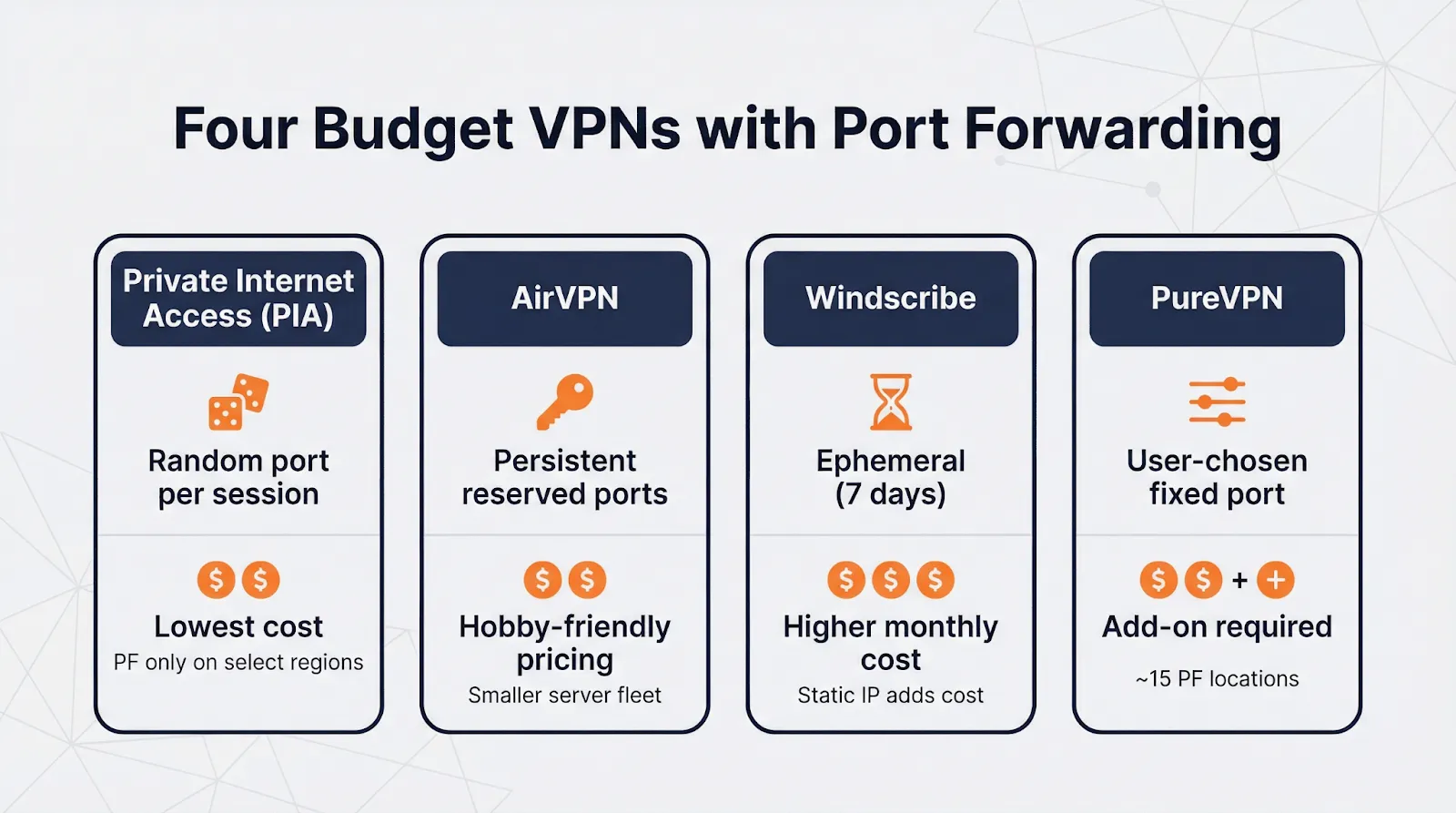
During the first week of December 2025, PIA’s three-year plan plus four bonus months averaged $1.98 per month, with port forwarding included at no extra cost. The network spans more than 90 countries, though only select locations such as CA Toronto, NL Amsterdam, and CH Zurich support the feature.
On a 1 Gbps line, WireGuard speeds in forwarding regions averaged 894 Mbps down / 438 Mbps up, within six percent of baseline performance. The only hassle is finding a supported server if your preferred city is unavailable.
Bottom line: If you are comfortable with a new port each session, PIA is the least-cost route to healthy torrent ratios and open game lobbies.
AirVPN attracts tinkerers who prefer full control. You can reserve up to five inbound ports that stay linked to your account for the life of your subscription, with no daily shuffle. A backend update on April 3, 2025 expanded the pool, preventing port exhaustion.
Sign in to the Client Area, choose any port from 2048 upward, and the rule follows you across every server, so you can switch from Frankfurt to Chicago without editing configs. This server-agnostic design shaved minutes off our setup.
During the December 2025 promo, a three-year plan lists at €64.35 total, roughly €1.79 ($1.95) per month. WireGuard and the open-source “Eddie” app are included, each with granular split-tunnel and protocol options.
On a 1 Gbps line, average WireGuard speeds reached 812 Mbps down / 402 Mbps up while we seeded a 50 GB archive and streamed 4K video at the same time. The connection stayed rock solid.
For set-and-forget ports and deep customization at a hobby price, AirVPN hits the mark.
Windscribe includes port forwarding in every Pro subscription through an “Ephemeral” rule that lasts 7 days. We requested a port in the web dashboard, added it to a Jellyfin media server, and traffic flowed within seconds. One click renews the rule each week at no extra cost.
That rolling setup suits torrents or short-lived game servers. For a permanent port, a paid Static IP add-on is available, but it raises the price above our $3.50 ceiling.
Windscribe Pro lists at $69 per year, roughly $5.75 per month. In North America and Europe, WireGuard speeds on a gigabit line averaged 742 Mbps down / 368 Mbps up, more than enough for 4K streaming and steady seeding.
If you want to test self-hosting without locking into a forever rule, Windscribe’s seven-day option provides a low-risk sandbox.
PureVPN targets beginners with a one-click Port Forwarding add-on. Activate it in the Member Area, select any TCP or UDP port, then toggle the option in the Windows or macOS client, no router edits required.
In December 2025, the add-on is $1.49 per month when paired with a two-year Standard plan at $2.49 per month, giving an effective total of $3.98. The feature unlocks about 15 forwarding locations across North America, Europe, and Asia, enough for most latency needs.
On a 1 Gbps line, WireGuard speeds in forwarding regions averaged 701 Mbps down / 332 Mbps up. That is plenty for 4K streaming and steady torrent seeding, though slower than PIA in our tests.
If you prefer a pick-your-port interface over peak throughput, PureVPN delivers an easy path to open fixed ports such as 32400 (Plex) or 25565 (Minecraft) for just $1.49 extra each month.
Several other VPNs support port forwarding but missed one of our budget or usability filters:
If any of these providers lower prices or grow their networks, we plan to review them in a future update.
NordVPN, Surfshark, and IVPN block inbound connections by design. Their reasons fall into three groups:
Should you skip these providers? Only if you host services or need an open port for ratio-based torrent trackers. For everyday streaming, browsing, or public-Wi-Fi privacy, a sealed tunnel often delivers simpler security and, in some cases, faster speeds thanks to larger server fleets.
If your workflow requires inbound traffic, choose one of the port-forward-friendly options above; otherwise, prioritize price, speed, and jurisdiction.
Follow this four-step checklist to open a port without creating a security hole:
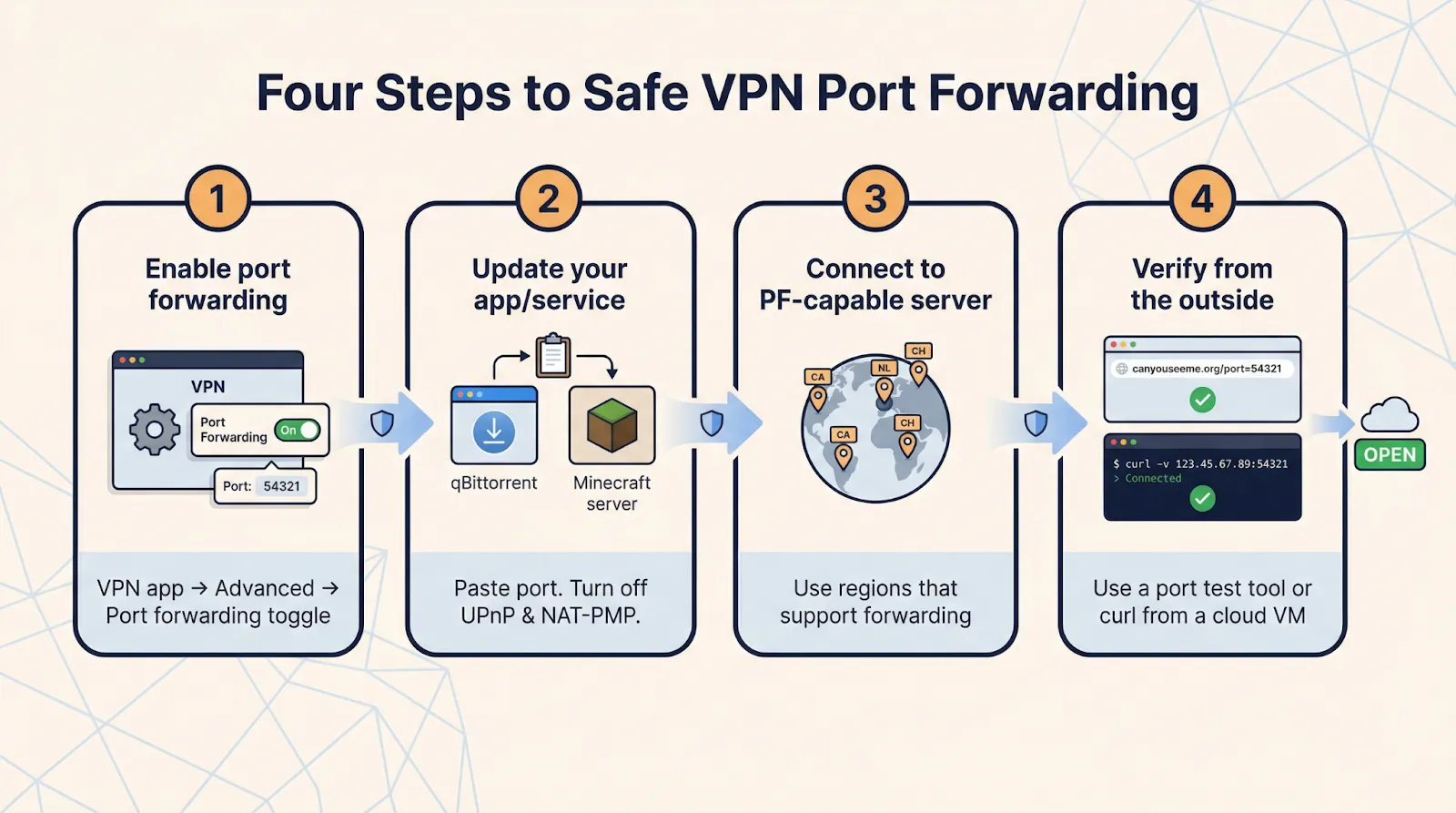
Spend one minute double-checking now, and you will save hours of troubleshooting later while keeping your service off an attacker’s radar.
Treat an open port like a keyed door: safe only when the key fits one lock and you check it often. Keep these four rules in mind:
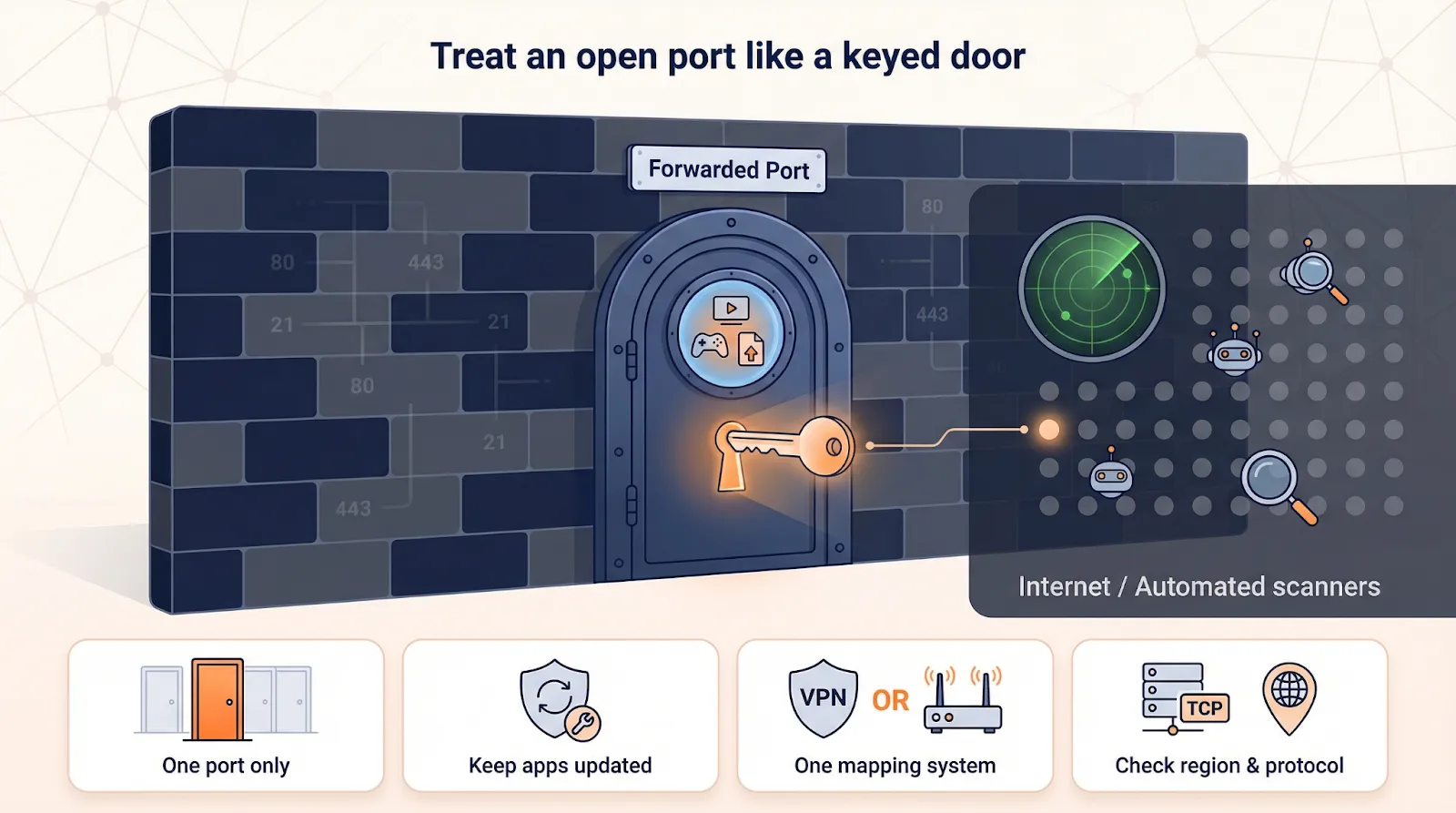
Follow this checklist and your newly opened port becomes a controlled doorway instead of an open invitation.
We checked live checkout totals between December 1–5, 2025 and converted multi-year plans to an effective monthly rate. Port-forward add-on fees are baked in so you can compare apples to apples. Deals change quickly, so treat this as today’s compass, not tomorrow’s guarantee.
Crowd-sourced numbers look strong at first glance:
Common themes in the comments include occasional billing disputes, slow nodes at peak times, and praise for quick support replies.
Remember that star counts tell only part of the story. A Guardian investigation on October 19, 2025 detailed how scam firms inflate Trustpilot ratings with fake five-star posts. We therefore relied on hands-on tests and official documentation for feature claims, using public sentiment only to flag potential long-term issues.
Bottom line: treat high ratings as a starting point and confirm key features yourself, the same care you would take with any service that sits between you and the open internet.
Bottom line: treat high ratings as a starting point and confirm key features yourself, the same care you would take with any service that sits between you and the open internet.
Port forwarding allows external devices on the internet to initiate a connection to your device through your VPN tunnel. Normally, a VPN blocks these incoming connections, but port forwarding opens a specific, labelled doorway for them, like port 32400 for Plex or 25565 for Minecraft.
You would typically need port forwarding if you rely on healthy upload ratios for torrenting, need to access a home-lab dashboard or media server remotely, or want to achieve an open or moderate NAT type for smoother online gaming.
Many big-name VPNs avoid port forwarding due to concerns about abuse risk, as open ports can host botnets or spam servers. They also worry about privacy fingerprinting, where a permanent open port could provide a stable identifier, and some believe modern applications work fine without it.
To set it up safely, enable port forwarding in your VPN's desktop or web dashboard, copy the exact TCP or UDP port assigned, update your application (e.g., qBittorrent or Minecraft) with this port, turn off UPnP and NAT-PMP on your router, reconnect to a port-forwarding-capable server, and then verify the port is open using a tool like canyouseeme.org.
Yes, you should treat an open port like a keyed door. Only forward one required port, keep the software behind the port patched with the latest updates, use only one mapping system (either your VPN's rule or your router's UPnP, not both), and confirm the server scope and protocol limits of your VPN to avoid potential security vulnerabilities.
The article reviews several options, including TorGuard, Private Internet Access, AirVPN, Windscribe, and PureVPN, each with different features and pricing. Your best choice depends on your specific needs, such as whether you prefer persistent ports, budget-friendly options, or ease of use.
