
June 24, 2024

January 26, 2026

Editorial Disclaimer
This content is published for general information and editorial purposes only. It does not constitute financial, investment, or legal advice, nor should it be relied upon as such. Any mention of companies, platforms, or services does not imply endorsement or recommendation. We are not affiliated with, nor do we accept responsibility for, any third-party entities referenced. Financial markets and company circumstances can change rapidly. Readers should perform their own independent research and seek professional advice before making any financial or investment decisions.
Working from home can be great, but your space has to support real work. The right layout, lighting, and finishes can boost focus, save time, and help you look professional on video. Use these ideas to build a home office that feels calm, flexible, and ready for long days.

Start by defining one clear work zone. Use a rug, a low shelf, or a change in wall colour to mark your office area if it shares a room with home life. Keep walkways open so you are not weaving around furniture during calls.
Pick a desk depth that fits your gear without crowding your arms. Many people do well with about 24 to 30 inches. If you use two monitors, plan for cable paths and a place to park a laptop so your surface stays clean.
Blend 3 types of light so your eyes do less work. Use overhead light for the room, a task lamp at the desk, and a soft lamp in your background for video calls. Dimmer switches help you tune brightness as daylight shifts.
Sit near a window if you can, but aim side light rather than a direct glare across your screens. Add simple roller shades to cut harsh light during midday. Warm bulbs in the background and neutral bulbs at the desk keep skin tones natural on camera.
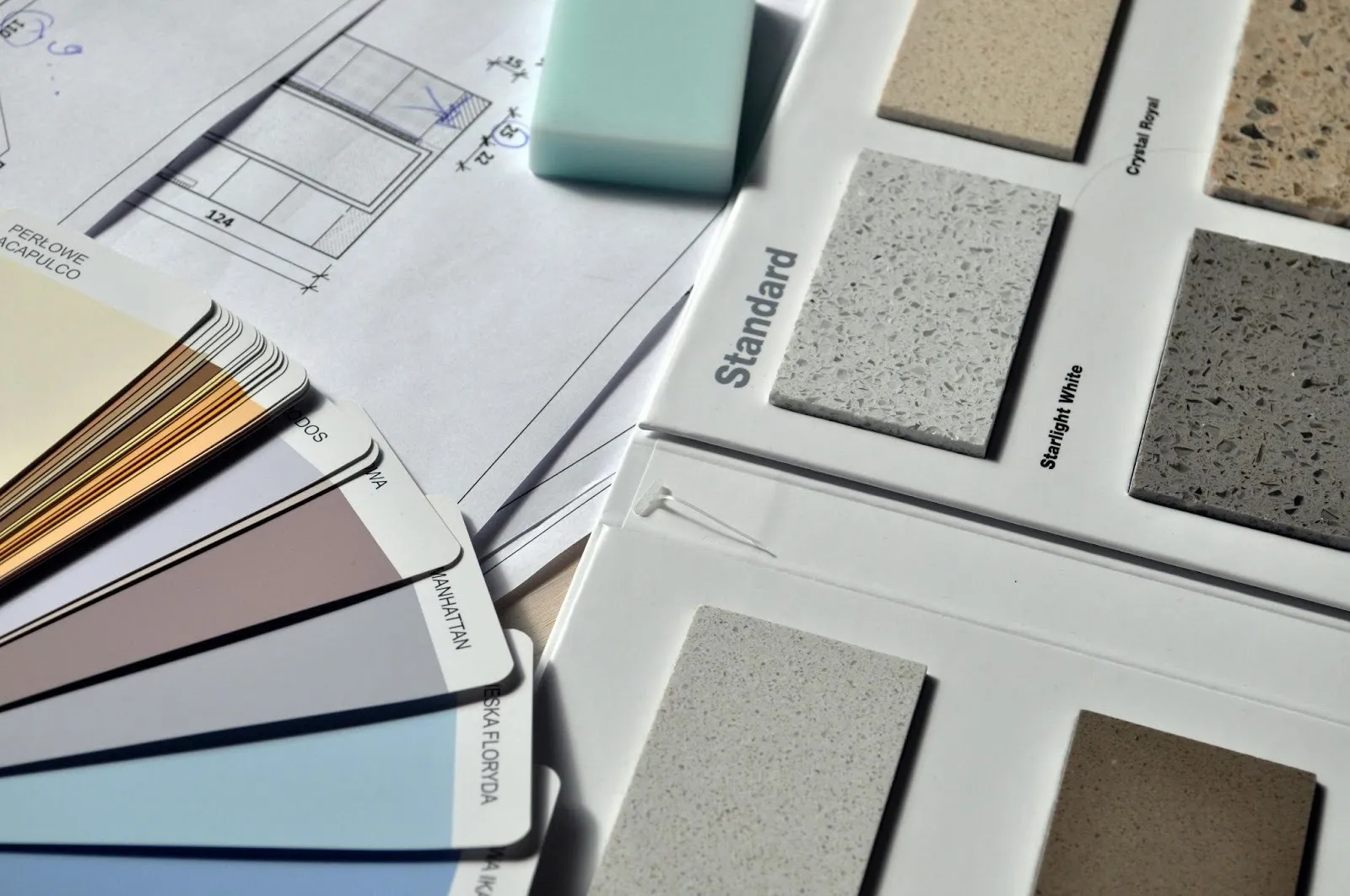
Colour sets the mood fast. Soft greens and desaturated blues can lower stress, while muted earth tones add warmth. Test large paint samples on the wall and check them morning, noon, and night.
Aim for a colour that looks steady on video. Consider interior painting in Seattle or your area if you want a pro finish that handles tricky light and moisture. Keep ceilings light to make rooms feel taller. If you crave bold colour, use it on a single wall behind the camera to create a clean backdrop.
Choose washable, low-sheen finishes for busy walls. Satin or eggshell levels hide minor marks yet clean easily. In high-touch zones like around door frames, a semi-gloss stripe can protect edges and make wipe-downs simple.
Noise is the top home office complaint. A workplace research article reported that a solid acoustic plan can cut conversational distractions by about half, reduce stress, lower errors, and boost focus across teams. Use this as a sign to add soft surfaces sooner rather than later.
Carpet tiles, area rugs, and fabric panels absorb echo. Bookshelves with mixed items break up reflections. Try placing a thick rug under the desk and a fabric pinboard near your monitor to soak up voice bounce during calls.
In damp regions, prep saves you from peeling paint and odours later. A local painting guide suggested checking bathrooms, kitchens, and basements for hidden mildew before you paint. A mild cleaner and proper drying make new coatings last longer.
Run exhaust fans and open windows when the weather allows. If you do not have a fan in a nearby bath, a portable dehumidifier can help. Choose coatings labelled moisture-resistant in rooms that get steamy or where you run a lot of electronics.
Keep a clear path for air around your equipment. Heat from computers and lights builds up fast in small rooms. A quiet desk fan can move warm air off your skin and let you keep the thermostat a touch higher without feeling stuffy.
Seat placement affects energy and attention. A home design magazine recommends placing your desk so you can see the main entry without sitting in line with it. This makes the room feel calmer and helps you notice people or pets before they appear on camera.
Centre your monitor at eye level to protect your neck. Keep the back of your chair at least a few inches from the wall so you can roll and reach without scuffing paint. If you share space, a small folding screen can hide household items during meetings.
Create a simple path for papers and supplies. Use a 3-part system. In, active, and archive. A tray for new items, a desktop file for current tasks, and a labelled box or drawer for long-term storage keep clutter from spreading.
Vertical storage saves floor space. Try wall rails with bins for cords and tools. Clear labels on every box cut search time and help you reset the room at day’s end.
Let your workspace quietly reflect your brand. Pick 2 or 3 colours from your logo and use them in small accents like a lamp, a frame, or a throw pillow. Keep the background simple so your face is the focal point in meetings.
Display one or two items that show your craft, like a sample product or a framed sketch. Rotate them seasonally so the room feels fresh. A tidy, well-lit background signals care without shouting for attention.
A webcam at eye level with soft side light flatters most faces. Use a simple stand to raise your laptop if needed. Test your mic and speakers in your video app, and record a short clip to check for echo or fan noise.
Hide cords with under-desk trays and Velcro wraps. Put a small power strip on the desktop edge where you can plug in a phone or headphones fast. Back up to an external drive so you can clear space on your main machine.
Good design is a habit as much as a layout. Set a 5-minute reset at the end of each day to file papers, wipe the desk, and coil cords. Keep a small caddy with cleaning wipes, a lint roller, and a micro-fiber cloth within reach.
Do a monthly check of paint scuffs and touch them up before they spread. Tighten chair screws, empty your shred bin, and recycle old packaging. Small upkeep tasks keep your office looking sharp and ready for the next big call.
Working from home should help you do your best work. With the right light, sound, colour, and storage, your space can feel calm and professional. Start with one improvement, test it for a week, and then add the next until the room runs like a well-tuned tool.
Soft greens and desaturated blues are excellent choices as they can help lower stress and improve focus. Muted earth tones can also add warmth. It is a good idea to test large paint samples on your wall to see how they appear in different light conditions throughout the day.
Ensure your background is tidy and uncluttered. Use layered lighting with a soft light source in the background to create depth. Position your webcam at eye level and use small, subtle accents that reflect your business brand, like a framed logo or a product sample.
Positioning your monitor correctly is crucial. The top of your screen should be at or slightly below eye level, and about an arm's length away. This helps prevent neck and shoulder strain during long work sessions.
Noise is a common issue. You can absorb sound by adding soft surfaces. Thick rugs, floor-to-ceiling curtains, fabric pinboards, and even a well-stocked bookshelf can effectively break up sound waves and reduce echo, making your calls clearer.
Adopt a three-part system for your paperwork: 'in', 'active', and 'archive'. Use a tray for new items, a desktop file for current projects, and labelled boxes for long-term storage. This prevents clutter from building up on your desk.
